Showing posts with label MSSQL. Show all posts

Thursday, March 5, 2020

Passing spring application parameters in EAP 7.1

In this post I will demonstrate how to pass Spring application properties in Spring Boot spring boot application running on JBoss EAP. I will use code base of my previous post "SpringBott change default port"(Initial code base)

Prerequisites 


  1. You should have install java 1.8 or above.
  2. You should have Eclipse installed in your PC.
  3. Your PC should setup Maven installed and configured.
  4. Your PC should have installed MySQL and Server need to have user who have access to the configured database and user should able to log in to the database by user name/password. 


Enable existing project to run on EAP

When Spring boot application developed it's have its embedded tomcat. So we have to remove that embedded tomcat in order to run the same project in EAP. Also I have make the project packaging as war file so we can deploy the project in to EAP.


<project xmlns="http://maven.apache.org/POM/4.0.0" xmlns:xsi="http://www.w3.org/2001/XMLSchema-instance" xsi:schemaLocation="http://maven.apache.org/POM/4.0.0 http://maven.apache.org/xsd/maven-4.0.0.xsd">
  <modelVersion>4.0.0</modelVersion>
  <groupId>com.nirmal.springbootrest</groupId>
  <artifactId>RestApiSpringBoot</artifactId>
  <version>0.0.1-SNAPSHOT</version>
<packaging>war</packaging>
<parent>
        <groupId>org.springframework.boot</groupId>
        <artifactId>spring-boot-starter-parent</artifactId>
        <version>2.0.5.RELEASE</version>
    </parent>
<dependencies>
<!-- Compile -->
<dependency>
<groupId>org.springframework.boot</groupId>
<artifactId>spring-boot-starter-web</artifactId>
<exclusions>
<exclusion>
<groupId>org.springframework.boot</groupId>
<artifactId>spring-boot-starter-tomcat</artifactId>
</exclusion>
</exclusions>
</dependency>
        <dependency>
            <groupId>org.springframework.boot</groupId>
            <artifactId>spring-boot-starter-data-jpa</artifactId>
        </dependency>
<dependency>
<groupId>javax.servlet</groupId>
<artifactId>jstl</artifactId>
</dependency>
<!-- Provided -->
  <dependency>
   <groupId>org.apache.tomcat.embed</groupId>
   <artifactId>tomcat-embed-jasper</artifactId>
   <scope>provided</scope>
  </dependency>
<!-- Runtime -->
<dependency>
<groupId>com.microsoft.sqlserver</groupId>
<artifactId>mssql-jdbc</artifactId>
<version>6.1.0.jre8</version>
</dependency>
</dependencies>
<build>
<plugins>
<plugin>
<groupId>org.springframework.boot</groupId>
<artifactId>spring-boot-maven-plugin</artifactId>
</plugin>
</plugins>
</build>
</project>

Then lets remove some required parameters from application.properties file as show in below. I have highlighted the commented part.

#==== connect to mysql ======#
spring.jpa.hibernate.ddl-auto=update
spring.datasource.url=jdbc:sqlserver://localhost;databaseName=TestDB
#spring.datasource.username=nirmal
#spring.datasource.password=Test123_
spring.datasource.driverClassName=com.microsoft.sqlserver.jdbc.SQLServerDriver
spring.jpa.database-platform=org.hibernate.dialect.SQLServer2012Dialect
server.port = 8080

spring.jpa.properties.hibernate.show_sql=true
spring.jpa.properties.hibernate.use_sql_comments=false
spring.jpa.properties.hibernate.format_sql=true

#==== Logging configurations ======#
logging.level.root=WARN,INFO,ERROR
logging.level.com.baeldung=TRACE


Perform maven install

I will demonstrate it from IntelliJ as mention below. First perform maven install command by double click on "install" under maven in InelliJ as show below.


Then after successful installation you can see generated war file in target folder. 


Add application properties in EAP

First lets run the JBoss EAP. For that go to the JBOSS directory and navigate to "bin" folder. Then run the "standalone.bat" in windows. (In linux run the standalone.sh file). Once EAP started you can go to Admin console in following URL. http://localhost:9990/console/App.html

Enter the admin username and password when accessing the URL. Then you should be able to see EAP web application. Then click on Configuration tab and then click on system properties. Then you should be able to see similar UI to below screen. Then click on view button.


Then you should be able to see similar image to below figure. 


In order to add parameters click on Add button. Then add following details 

namevalue
spring.datasource.usernamenirmal
spring.datasource.passwordTest123_


After add those you can see similar to below figure.


Then lets deploy the war file. For that click on Back button on left top corner and then click on deployments. Then click "Add" button. Then you should be able to see similar figure to below.


Then click next button and then Click choose file and select the generated war file from target folder in the project. Then click next and then click finish. Once installation completed you should be able to see similar output on command line.
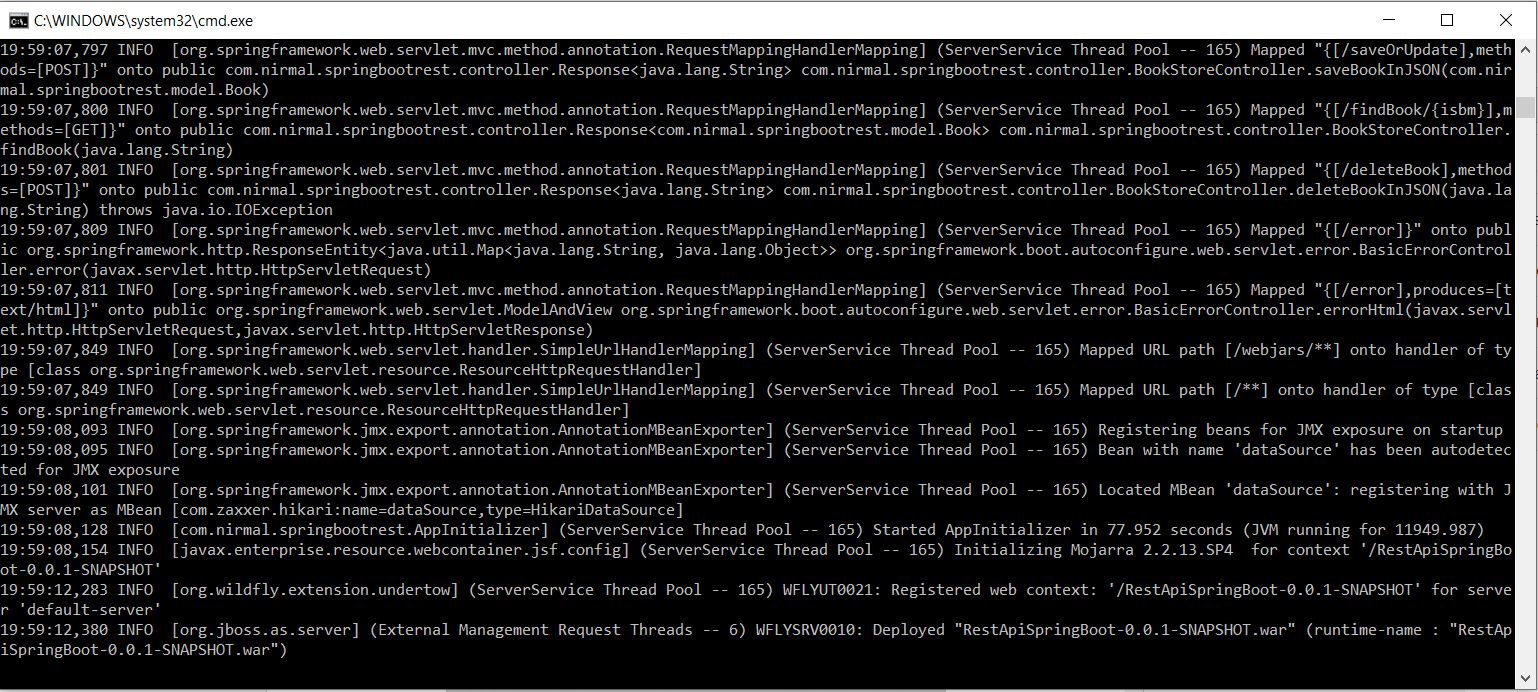


Now server started on 8090 and you should be able to access same web service from following like.


Also you can perform any action which I mentioned in my previous blog post.

Project source can be downloaded from following GIT HUB URL.


Thursday, February 27, 2020

Spring Boot REST API with SQLServer 2019

In this post I will demonstrate how to change MySQL Spring Boot application in to Microsoft SQL database. For this I will use code base of my previous post "Spring Boot REST API CRUD operations with MySQL with Spring Data". You can access steps to correctly install MSSQL server in following blog post "Installing SQL Server 2017 Express edition in windows".

Prerequisites 
  1. You should have install java 1.8 or above.
  2. You should have Eclipse installed in your PC.
  3. Your PC should setup Maven installed and configured.
  4. MS SQL server need to be installed. 

Dependency Configure existing project 

I will use following project https://github.com/NirmalBalasooriya/RestApiSpringBoot for the demonstration of this post. Check out the project in to you IDE. 

First remove the MySQL dependency as show below
<!-- Runtime -->
<dependency>
<groupId>mysql</groupId>
<artifactId>mysql-connector-java</artifactId>
</dependency>

Add the MSSQL dependency 

<dependency>
<groupId>com.microsoft.sqlserver</groupId>
<artifactId>mssql-jdbc</artifactId>
<version>6.1.0.jre8</version>
</dependency>


After update pom file would be as follows.

<project xmlns="http://maven.apache.org/POM/4.0.0" xmlns:xsi="http://www.w3.org/2001/XMLSchema-instance" xsi:schemaLocation="http://maven.apache.org/POM/4.0.0 http://maven.apache.org/xsd/maven-4.0.0.xsd">
  <modelVersion>4.0.0</modelVersion>
  <groupId>com.nirmal.springbootrest</groupId>
  <artifactId>RestApiSpringBoot</artifactId>
  <version>0.0.1-SNAPSHOT</version>

<parent>
        <groupId>org.springframework.boot</groupId>
        <artifactId>spring-boot-starter-parent</artifactId>
        <version>2.0.5.RELEASE</version>
    </parent>
<dependencies>
<!-- Compile -->
<dependency>
<groupId>org.springframework.boot</groupId>
<artifactId>spring-boot-starter-web</artifactId>
</dependency>
        <dependency>
            <groupId>org.springframework.boot</groupId>
            <artifactId>spring-boot-starter-data-jpa</artifactId>
        </dependency>
<dependency>
<groupId>javax.servlet</groupId>
<artifactId>jstl</artifactId>
</dependency>
<!-- Provided -->
  <dependency>
   <groupId>org.apache.tomcat.embed</groupId>
   <artifactId>tomcat-embed-jasper</artifactId>
   <scope>provided</scope>
  </dependency>
<!-- Runtime -->
<dependency>
<groupId>com.microsoft.sqlserver</groupId>
<artifactId>mssql-jdbc</artifactId>
<version>6.1.0.jre8</version>
</dependency>
</dependencies>
<build>
<plugins>
<plugin>
<groupId>org.springframework.boot</groupId>
<artifactId>spring-boot-maven-plugin</artifactId>
</plugin>
</plugins>
</build>
</project>


Modify SpringBoot Configure on application.properties 


To configure MSSQL database we have to modify database URL, username, password, driver class name and database-platform. Update the file based on your configuration for username and password.

#==== connect to mysql ======#
spring.jpa.hibernate.ddl-auto=update
spring.datasource.url=jdbc:sqlserver://localhost;databaseName=TestDB
spring.datasource.username=nirmal
spring.datasource.password=Test123_
spring.datasource.driverClassName=com.microsoft.sqlserver.jdbc.SQLServerDriver
spring.jpa.database-platform=org.hibernate.dialect.SQLServer2012Dialect


spring.jpa.properties.hibernate.show_sql=true
spring.jpa.properties.hibernate.use_sql_comments=false
spring.jpa.properties.hibernate.format_sql=true

#==== Logging configurations ======#
logging.level.root=WARN,INFO,ERROR
logging.level.com.baeldung=TRACE


Run the application

In order to run first we have to perform maven install command and then we can run the application

Go to run debug configuration and add following command 

spring-boot:run


Then run the application  by click on Run button


After successful execution you should be able to see similar output as show below.


Also you should be see table has been created on your configured Database and you can access the web service from following URL. 

http://localhost:8080/findBook/1

With following out put on web browser.


Lets Test the application 


Then lets add new Book in to API


curl -H "Accept: application/json" -H "Content-type: application/json" -X POST -d "{ \"isbmNumber\":\"9999\", \"name\":\"How to develop API\", \"description\":\"sample book\", \"auther\":\"Nirmal Balasooriya \" }" http://localhost:8080/saveOrUpdate

  
For this one following output will return


{"code":"1","desc":"Book save successful","t":"9999"}


If you check the database you can see data has been inserted to the Database.


Also we can access data through API as well http://localhost:8080/findBook/9999


You can access the updated code base from following GitHub URL.

Saturday, January 25, 2020

JPA Hibernate in Karaf on JBoss FUSE 7.4


In this post I will demonstrate how to configure JPA implementation Hibernate on Karaf platform on JBoss fuse 7.4.
You can access the whole code base using following github location.


Prerequisites 
  1. You should have install java 1.8 or above.
  2. You should have IDE installed in your PC in my case I'm using IntelliJ IDEA.
  3. Your PC should setup Maven installed and configured.
  4. Your  PC should install and setup SQLServer.

Creating parent and child projects

Before you create the project make sure to add FUSE 7.4 related maven configureation file in to your system .m2 folder(Default location would be C:\Users\<windows user name>\.m2). You can download it from following location. 
Then Open InteliJ IDEA and go to File->New->Project then you could see similar interface in the figure below. Then select Maven on left hand side, then select installed JDK installed in your PC. Then click on next button.


Add Project view
Then you will be able to see similar to below figure. I will provide following details

Name       : FuseHibernate_MSSQL
GrouupId  : com.fuse.hibernate.example
ArtifactId : FuseHibernate
Version     : 1.0-SNAPSHOT

Then click finish. 
Provide project details

Now we have created our parent project. First of all we can delete src folder on the project since this is the parent project. Lets add child modules by right click on project and New -> Module and then select Maven and JDK as same as previous step. Then click next. In next interface provide following details related to Feature module.

Name : Model

Then once it added to the parent project I have added <name>Feature module</name> under the <artifactId></artifactId>  tag.
similarly add other three modules by providing module name as "Model", "Service" and "Application". Make sure to give different name for name tag in the each modules pom file. Then after successful adding you could see your project structure and parent pom file similar to below figure.


After successful add new modules in to parent project


Then lets add relative configuration and dependencies in to parent project. Open the parent pom file and properties, dependencies as below.

<?xml version="1.0" encoding="UTF-8"?>
<project xmlns="http://maven.apache.org/POM/4.0.0"
         xmlns:xsi="http://www.w3.org/2001/XMLSchema-instance"
         xsi:schemaLocation="http://maven.apache.org/POM/4.0.0 http://maven.apache.org/xsd/maven-4.0.0.xsd">
    <modelVersion>4.0.0</modelVersion>

    <groupId>com.fuse.hibernate.example</groupId>
    <artifactId>FuseHibernate</artifactId>
    <packaging>pom</packaging>
    <version>1.0-SNAPSHOT</version>
    <modules>
        <module>Model</module>
        <module>Feature</module>
        <module>Service</module>
        <module>Application</module>
    </modules>
    <properties>
        <aries.skip.version.check>true</aries.skip.version.check>
        <maven.compiler.target>1.8</maven.compiler.target>
        <maven.compiler.source>1.8</maven.compiler.source>
        <project.build.sourceEncoding>UTF-8</project.build.sourceEncoding>
        <project.reporting.outputEncoding>UTF-8</project.reporting.outputEncoding>
        <version.org.apache.cxf>7.4.0.fuse-740036-redhat-00002</version.org.apache.cxf>
        <version.fuse-karaf-bom>7.4.0.fuse-740036-redhat-00002</version.fuse-karaf-bom>
        <version.plugin.felix.maven-bundle-plugin>3.5.1</version.plugin.felix.maven-bundle-plugin>
        <version.aries.jpa>2.6.1</version.aries.jpa>
        <version.plugin.maven-resources-plugin>3.0.2</version.plugin.maven-resources-plugin>
        <version.plugin.mojo.build-helper-maven-plugin>3.0.0</version.plugin.mojo.build-helper-maven-plugin>
        <version.plugin.maven-surefire-plugin>2.20.1</version.plugin.maven-surefire-plugin>
    </properties>
    <dependencyManagement>
        <dependencies>
            <dependency>
                <groupId>org.jboss.fuse</groupId>
                <artifactId>jboss-fuse-parent</artifactId>
                <version>7.1.0.fuse-710023-redhat-00001</version>
                <scope>import</scope>
                <type>pom</type>
            </dependency>
        </dependencies>
    </dependencyManagement>
    <build>
        <pluginManagement>
            <plugins>
                <plugin>
                    <groupId>org.apache.maven.plugins</groupId>
                    <artifactId>maven-surefire-plugin</artifactId>
                    <version>${version.plugin.maven-surefire-plugin}</version>
                </plugin>
                <plugin>
                    <groupId>org.apache.felix</groupId>
                    <artifactId>maven-bundle-plugin</artifactId>
                    <version>${version.plugin.felix.maven-bundle-plugin}</version>
                    <extensions>true</extensions>
                </plugin>
                <plugin>
                    <groupId>org.apache.karaf.tooling</groupId>
                    <artifactId>karaf-maven-plugin</artifactId>
                    <version>${version.org.apache.karaf}</version>
                </plugin>
                <plugin>
                    <groupId>org.apache.maven.plugins</groupId>
                    <artifactId>maven-resources-plugin</artifactId>
                    <version>${version.plugin.maven-resources-plugin}</version>
                </plugin>
                <plugin>
                    <groupId>org.codehaus.mojo</groupId>
                    <artifactId>build-helper-maven-plugin</artifactId>
                    <version>${version.plugin.mojo.build-helper-maven-plugin}</version>
                </plugin>
                <plugin>
                    <groupId>org.apache.karaf.tooling</groupId>
                    <artifactId>karaf-services-maven-plugin</artifactId>
                    <version>4.2.1</version>
                    <executions>
                        <execution>
                            <id>service-metadata-generate</id>
                            <phase>process-classes</phase>
                            <goals>
                                <goal>service-metadata-generate</goal>
                            </goals>
                        </execution>
                    </executions>
                </plugin>
            </plugins>
        </pluginManagement>
        <plugins>
            <plugin>
                <groupId>org.apache.maven.plugins</groupId>
                <artifactId>maven-surefire-plugin</artifactId>
                <configuration>
                    <skipTests>${skip.quickstarts.tests}</skipTests>
                </configuration>
            </plugin>
        </plugins>
    </build>

</project>


Feature module configuration

First lets delete the java folder under main folder in the project structure and then add new Feature folder in main folder. Then Right click on feature folder and add new xml file call "feature.xml". Add following content in to that files. Note that this will be refer to other sub modules added in the previous steps, So if you change the artifact ids, make sure to update the xml based on your modification.

<?xml version="1.0" encoding="UTF-8"?>
<features name="osgi-customer-management-${project.version}" 
xmlns="http://karaf.apache.org/xmlns/features/v1.3.0" xmlns:xsi="http://www.w3.org/2001/XMLSchema-instance"
          xsi:schemaLocation="http://karaf.apache.org/xmlns/features/v1.3.0 http://karaf.apache.org/xmlns/features/v1.3.0">
    <feature name="osgi-customer-management-datasource" version="${project.version}">
        <config name="org.ops4j.datasource-customer-management">
            osgi.jdbc.driver.class=com.microsoft.sqlserver.jdbc.SQLServerDriver
            osgi.jdbc.driver.name=mssql
            databaseName=customer-management

            url=jdbc:sqlserver://LAPTOP-E0A1RCAN:1433;databaseName=customer-management
            user=nirmal
            password=Test123_
            dataSourceName=customer-management
            org.apache.karaf.features.configKey = org.ops4j.datasource-customer-management
        </config>
        <capability>osgi.service;javax.persistence.EntityManager;objectClass=javax.sql.DataSource;
osgi.jndi.service.name=customer-management</capability><!--;effective:=active-->
    </feature>
    <feature name="Model" version="${project.version}">
        <feature>transaction</feature>
        <feature>jndi</feature>
        <feature>pax-jdbc-config</feature>
        <feature>pax-jdbc-h2</feature>
        <feature>pax-jdbc-mssql</feature>
        <feature>pax-jdbc-pool-dbcp2</feature>
        <feature>jdbc</feature>
        <feature dependency="true">aries-blueprint</feature>
        <feature version="[2,3)">jpa</feature>
        <feature version="[5,6)">hibernate</feature>
        <bundle>mvn:com.fuse.hibernate.example/Model/${project.version}</bundle>
    </feature>
    <feature name="Service" version="${project.version}">
        <feature version="${project.version}">Model</feature>
        <bundle>mvn:com.fuse.hibernate.example/Service/${project.version}</bundle>
        <capability>osgi.service;objectClass=javax.persistence.spi.PersistenceProvider;
effective:=active;javax.persistence.provider=org.hibernate.jpa.HibernatePersistenceProvider</capability>
    </feature>
    <feature name="Application" version="${project.version}">
        <feature version="${project.version}">Model</feature>
        <feature version="${project.version}">Service</feature>
        <bundle>mvn:com.fuse.hibernate.example/Application/${project.version}</bundle>
    </feature>
</features>

Following section is for the database configuration and make sure to create relevant database in MSSQL server and provide your server details on url,user,password sections. 

    <feature name="osgi-customer-management-datasource" version="${project.version}">
        <config name="org.ops4j.datasource-customer-management">
            osgi.jdbc.driver.class=com.microsoft.sqlserver.jdbc.SQLServerDriver
            osgi.jdbc.driver.name=mssql
            databaseName=customer-management

            url=jdbc:sqlserver://LAPTOP-E0A1RCAN:1433;databaseName=customer-management
            user=nirmal
            password=Test123_
            dataSourceName=customer-management
            org.apache.karaf.features.configKey = org.ops4j.datasource-customer-management
        </config>
        <capability>osgi.service;javax.persistence.EntityManager;objectClass=javax.sql.DataSource;
osgi.jndi.service.name=customer-management</capability><!--;effective:=active-->
    </feature>

Then lets go to Feature module pom file and add relevant details. Make sure to update packageing as pom for this module.

<?xml version="1.0" encoding="UTF-8"?>
<project xmlns="http://maven.apache.org/POM/4.0.0"
         xmlns:xsi="http://www.w3.org/2001/XMLSchema-instance"
         xsi:schemaLocation="http://maven.apache.org/POM/4.0.0 http://maven.apache.org/xsd/maven-4.0.0.xsd">
    <parent>
        <artifactId>FuseHibernate</artifactId>
        <groupId>com.fuse.hibernate.example</groupId>
        <version>1.0-SNAPSHOT</version>
    </parent>
    <modelVersion>4.0.0</modelVersion>

    <artifactId>Feature</artifactId>
    <name>Feature module</name>
    <packaging>pom</packaging>
    <build>
        <resources>
            <resource>
                <directory>src/main/feature</directory>
                <filtering>true</filtering>
                <targetPath>${project.build.directory}/feature</targetPath>
            </resource>
        </resources>
        <plugins>
            <plugin>
                <groupId>org.apache.maven.plugins</groupId>
                <artifactId>maven-resources-plugin</artifactId>
                <executions>
                    <execution>
                        <goals>
                            <goal>resources</goal>
                        </goals>
                    </execution>
                </executions>
            </plugin>
            <plugin>
                <groupId>org.codehaus.mojo</groupId>
                <artifactId>build-helper-maven-plugin</artifactId>
                <executions>
                    <execution>
                        <id>attach-artifacts</id>
                        <phase>package</phase>
                        <goals>
                            <goal>attach-artifact</goal>
                        </goals>
                        <configuration>
                            <artifacts>
                                <artifact>
                                    <file>target/feature/feature.xml</file>
                                    <type>xml</type>
                                </artifact>
                            </artifacts>
                        </configuration>
                    </execution>
                </executions>
            </plugin>
        </plugins>
    </build>
</project>

Now our Feature module is ready to deploy.

Model module configuration

First lets update the pom file with relevant dependencies.

<?xml version="1.0" encoding="UTF-8"?>
<project xmlns="http://maven.apache.org/POM/4.0.0"
         xmlns:xsi="http://www.w3.org/2001/XMLSchema-instance"
         xsi:schemaLocation="http://maven.apache.org/POM/4.0.0 http://maven.apache.org/xsd/maven-4.0.0.xsd">
    <parent>
        <artifactId>FuseHibernate</artifactId>
        <groupId>com.fuse.hibernate.example</groupId>
        <version>1.0-SNAPSHOT</version>
    </parent>
    <modelVersion>4.0.0</modelVersion>

    <artifactId>Model</artifactId>
    <name>Model</name>
    <packaging>bundle</packaging>

    <dependencies>
        <dependency>
            <groupId>org.eclipse.persistence</groupId>
            <artifactId>javax.persistence</artifactId>
        </dependency>
    </dependencies>
    <build>
        <plugins>
            <plugin>
                <groupId>org.apache.felix</groupId>
                <artifactId>maven-bundle-plugin</artifactId>
                <configuration>
                    <instructions>
                        <Export-Package>com.fuse.hibernate.example.model</Export-Package>
                        <Import-Package>
                            javax.persistence;version="[2,3)",
                            org.hibernate.proxy,
                            javassist.util.proxy,
                            org.hibernate.jpa,
                            *
                        </Import-Package>
                    </instructions>
                </configuration>
            </plugin>
        </plugins>
    </build>

</project>

 Then lets add our Model class in to the project by right click on java folder in model Module. The add following content which represent our database table.

package com.fuse.hibernate.example.model;
import javax.xml.bind.annotation.XmlAccessType;
import javax.xml.bind.annotation.XmlAccessorType;
import javax.xml.bind.annotation.XmlElement;
import javax.xml.bind.annotation.XmlRootElement;
import java.io.Serializable;
import java.math.BigInteger;

import javax.persistence.*;

@XmlRootElement(name="Person")
@XmlAccessorType(XmlAccessType.PROPERTY)
@Entity
@Table(name="Person")
public class Person implements Serializable
{

    private static final long serialVersionUID = 1L;
    private BigInteger id;
    private String name;
    private String city;
    private String country;

    public Person()
    {
    }

    public Person(String firstName, String city,  String country)
    {
        this.name = firstName;
        this.city = city;
        this.country = country;
    }

    public Person (Person person)
    {
        this (person.name, person.city, person.country);
    }


    @Id
    @SequenceGenerator(name = "PERSON_ID_GENERATOR", sequenceName = "PERSONS_SEQ")
    @GeneratedValue(strategy = GenerationType.SEQUENCE, generator = "PERSON_ID_GENERATOR")
    @Column(name = "PERSON_ID", unique = true, nullable = false, length = 8)
    public BigInteger getId()
    {
        return id;
    }

    public void setId(BigInteger id)
    {
        this.id = id;
    }

    @XmlElement
    @Column(name = "PERSON_NAME", nullable = false, length = 40)
    public String getName()
    {
        return name;
    }

    public void setName(String name)
    {
        this.name = name;
    }

    @XmlElement
    @Column(name = "ADDRESS_CITY", nullable = false, length = 80)
    public String getCity()
    {
        return city;
    }

    public void setCity(String city)
    {
        this.city = city;
    }

    @XmlElement
    @Column(name = "ADDRESS_COUNTRY", nullable = false, length = 40)
    public String getCountry()
    {
        return country;
    }

    public void setCountry(String country)
    {
        this.country = country;
    }

    @Override
    public String toString() {
        return "Person{" +
                "id=" + id +
                ", name='" + name + '\'' +
                ", city='" + city + '\'' +
                ", country='" + country + '\'' +
                '}';
    }
}

If you see the pom file on the Model module you can see we have added this class reference in the build section as show in below. If you have more packages make sure to add those packages in to this tag by comma separated. 

<Export-Package>com.fuse.hibernate.example.model</Export-Package>


Service module configuration

First lets update the pom file with relevant dependencies.

<?xml version="1.0" encoding="UTF-8"?>
<project xmlns="http://maven.apache.org/POM/4.0.0"
         xmlns:xsi="http://www.w3.org/2001/XMLSchema-instance"
         xsi:schemaLocation="http://maven.apache.org/POM/4.0.0 http://maven.apache.org/xsd/maven-4.0.0.xsd">
    <parent>
        <artifactId>FuseHibernate</artifactId>
        <groupId>com.fuse.hibernate.example</groupId>
        <version>1.0-SNAPSHOT</version>
    </parent>
    <modelVersion>4.0.0</modelVersion>

    <artifactId>Service</artifactId>
    <name>Service</name>
    <packaging>bundle</packaging>
    <dependencies>
        <dependency>
            <groupId>org.eclipse.persistence</groupId>
            <artifactId>javax.persistence</artifactId>
        </dependency>
        <dependency>
            <groupId>javax.transaction</groupId>
            <artifactId>javax.transaction-api</artifactId>
        </dependency>
        <dependency>
            <groupId>com.fuse.hibernate.example</groupId>
            <artifactId>Model</artifactId>
            <version>1.0-SNAPSHOT</version>
            <type>bundle</type>
        </dependency>
        <dependency>
            <groupId>org.hibernate</groupId>
            <artifactId>hibernate-entitymanager</artifactId>
        </dependency>
        <dependency>
            <groupId>org.hibernate</groupId>
            <artifactId>hibernate-osgi</artifactId>
        </dependency>
        <dependency>
            <groupId>javax.interceptor</groupId>
            <artifactId>javax.interceptor-api</artifactId>
            <version>1.2</version>
        </dependency>
        <!--        <dependency>-->
        <!--            <groupId>com.fuse.hibernate.example.model</groupId>-->
        <!--            <artifactId>Model</artifactId>-->
        <!--            <version>1.0-SNAPSHOT</version>-->
        <!--            <scope>compile</scope>-->
        <!--        </dependency>-->
    </dependencies>
    <build>
        <plugins>
            <plugin>
                <groupId>org.apache.felix</groupId>
                <artifactId>maven-bundle-plugin</artifactId>
                <configuration>
                    <instructions>
                        <Meta-Persistence>META-INF/persistence.xml</Meta-Persistence>
                        <Import-Package>
                            javax.persistence;version="[2,3)",
                            org.hibernate.jpa;version="[5,6)",
                            *
                        </Import-Package>
                    </instructions>
                </configuration>
            </plugin>
        </plugins>
    </build>

</project>

Then lets add PersonService Interface and PersonServiceIml class with following content. This will used to access database and persist data.

PersonService Interface 

package com.fuse.hibernate.example.service;

import java.math.BigInteger;
import java.util.List;

import com.fuse.hibernate.example.model.Person;

public interface PersonService {
    public Person createPerson (Person person);
    public void removePerson (Person person);
    public void removePersonById (BigInteger id);
    public Person findPerson (String name);
    public List<Person> findPersons();
    public void updateCustomer (Person person);

}


PersonServiceIml class

package com.fuse.hibernate.example.service;

import com.fuse.hibernate.example.model.Person;
import java.math.*;
import java.util.*;

import javax.persistence.*;
import javax.persistence.criteria.*;
import javax.transaction.*;
import javax.transaction.Transactional.*;

@Transactional
public class PersonServiceImpl implements PersonService
{
    @PersistenceContext(unitName = "persons")
    private EntityManager em;

    @Override
    public Person createPerson(Person person) {
        em.persist(person);
        em.flush();
        return person;
    }

    @Override
    public void removePerson(Person person) {
        em.remove(person);
    }

    @Override
    public void removePersonById(BigInteger id) {
        em.remove(em.find(Person.class, id));
    }

    @Transactional(TxType.SUPPORTS)
    @Override
    public Person findPerson(String name) {
        return em.find(Person.class, name);
    }

    @Transactional(TxType.SUPPORTS)
    @Override
    public List<Person> findPersons() {
        CriteriaQuery<Person> query = em.getCriteriaBuilder().createQuery(Person.class);
        return em.createQuery(query.select(query.from(Person.class))).getResultList();
    }

    @Override
    public void updateCustomer(Person person) {
        em.persist(person);
    }

}


Then lets create "META-INF" folder inside resource folder. Then add persistence.xml with following content.

<?xml version="1.0" encoding="UTF-8"?>
<persistence version="2.0" xmlns="http://java.sun.com/xml/ns/persistence" xmlns:xsi="http://www.w3.org/2001/XMLSchema-instance"
             xsi:schemaLocation="http://java.sun.com/xml/ns/persistence http://java.sun.com/xml/ns/persistence/persistence_2_0.xsd">
    <persistence-unit name="persons" transaction-type="JTA">
        <provider>org.hibernate.jpa.HibernatePersistenceProvider</provider>
        <jta-data-source>osgi:service/javax.sql.DataSource/(osgi.jndi.service.name=customer-management)</jta-data-source>
        <class>com.fuse.hibernate.example.model.Person</class>
        <properties>
            <!--      <property name="hibernate.dialect" value="org.hibernate.dialect.H2Dialect" />-->
            <property name="hibernate.dialect" value="org.hibernate.dialect.SQLServer2012Dialect" />
            <property name="hibernate.hbm2ddl.auto" value="update" />
            <property name="hibernate.show_sql" value="true"/>
        </properties>
    </persistence-unit>

</persistence>


Then lets add blueprint.xml with following content.

<?xml version="1.0" encoding="UTF-8"?>
<blueprint xmlns="http://www.osgi.org/xmlns/blueprint/v1.0.0" xmlns:jpa="http://aries.apache.org/xmlns/jpa/v2.0.0" xmlns:tx="http://aries.apache.org/xmlns/transactions/v1.2.0"
           xmlns:xsi="http://www.w3.org/2001/XMLSchema-instance"
           xsi:schemaLocation="http://www.osgi.org/xmlns/blueprint/v1.0.0 https://www.osgi.org/xmlns/blueprint/v1.0.0/blueprint.xsd
             http://camel.apache.org/schema/blueprint http://camel.apache.org/schema/blueprint/camel-blueprint.xsd">
<jpa:enable />
<tx:enable-annotations />
<service ref="personService" interface="com.fuse.hibernate.example.service.PersonService" />
<bean id="personService" class="com.fuse.hibernate.example.service.PersonServiceImpl" />
<bean
        class="com.fuse.hibenate.example.app.ExchangeProcessor" id="exchangeProcessor">
  <property name="personService" ref="personService"/>
</bean>

</blueprint>


Application module configuration

First lets update the pom file with relevant dependencies.

<?xml version="1.0" encoding="UTF-8"?>
<project xmlns="http://maven.apache.org/POM/4.0.0"
         xmlns:xsi="http://www.w3.org/2001/XMLSchema-instance"
         xsi:schemaLocation="http://maven.apache.org/POM/4.0.0 http://maven.apache.org/xsd/maven-4.0.0.xsd">
    <parent>
        <artifactId>FuseHibernate</artifactId>
        <groupId>com.fuse.hibernate.example</groupId>
        <version>1.0-SNAPSHOT</version>
    </parent>
    <modelVersion>4.0.0</modelVersion>

    <artifactId>Application</artifactId>
    <name>OSGi Application</name>
    <packaging>bundle</packaging>
    <dependencies>
        <dependency>
            <groupId>com.fuse.hibernate.example</groupId>
            <artifactId>Service</artifactId>
            <version>1.0-SNAPSHOT</version>
            <scope>compile</scope>
        </dependency>
        <dependency>
            <groupId>org.apache.camel</groupId>
            <artifactId>camel-core</artifactId>
            <scope>provided</scope>
        </dependency>
        <dependency>
            <groupId>org.apache.karaf.shell</groupId>
            <artifactId>org.apache.karaf.shell.core</artifactId>
        </dependency>
    </dependencies>
    <build>
        <plugins>
            <plugin>
                <groupId>org.apache.karaf.tooling</groupId>
                <artifactId>karaf-services-maven-plugin</artifactId>
            </plugin>
            <plugin>
                <groupId>org.apache.felix</groupId>
                <artifactId>maven-bundle-plugin</artifactId>
                <configuration>
                    <instructions>
                        <Private-Package>com.fuse.hibernate.example.app</Private-Package>
                        <Import-Package>com.fuse.hibernate.example.model,org.hibernate.jpa, org.apache.karaf.shell*;version="[4,5)", *</Import-Package>
                    </instructions>
                </configuration>
            </plugin>
        </plugins>
    </build>


</project>

Then lets create our customized camel process "ExchangeProcessor" class with following content.

package com.fuse.hibernate.example.app;
import com.fuse.hibernate.example.model.Person;
import com.fuse.hibernate.example.service.PersonServiceImpl;
import org.apache.camel.Exchange;
import org.apache.camel.Processor;
import org.apache.karaf.shell.api.action.lifecycle.Reference;
import org.apache.karaf.shell.api.action.lifecycle.Service;
import org.slf4j.Logger;
import org.slf4j.LoggerFactory;

import java.util.List;

@Service
public class ExchangeProcessor implements Processor {

    @Reference
    private PersonServiceImpl personService;
    static Logger LOG = LoggerFactory.getLogger(ExchangeProcessor.class);


    @Override
    public void process(Exchange exchange) throws Exception {

        LOG.info("INSIDE PROCESS:##:"+ exchange.getIn().getBody(Person.class));
        Person p =exchange.getIn().getBody(Person.class);
        personService.createPerson(p);
        List<Person> list=personService.findPersons();
        LOG.info("output list.size::::::"+list.size());
    }


    public PersonServiceImpl getPersonService() {
        return personService;
    }

    public void setPersonService(PersonServiceImpl personService) {
        this.personService = personService;
    }

}


Then create "OSGI-INF" folder inside resource folder and create another folder call "blueprint" inside OSGI-INF. Then add blueprint.xml file with following content.

<?xml version="1.0" encoding="UTF-8"?>
<blueprint xmlns="http://www.osgi.org/xmlns/blueprint/v1.0.0" xmlns:jpa="http://aries.apache.org/xmlns/jpa/v2.0.0" xmlns:tx="http://aries.apache.org/xmlns/transactions/v1.2.0"
  xmlns:xsi="http://www.w3.org/2001/XMLSchema-instance"
           xsi:schemaLocation="http://www.osgi.org/xmlns/blueprint/v1.0.0 https://www.osgi.org/xmlns/blueprint/v1.0.0/blueprint.xsd
             http://camel.apache.org/schema/blueprint http://camel.apache.org/schema/blueprint/camel-blueprint.xsd">
  <jpa:enable />
  <tx:enable-annotations />
  <service ref="personService" interface="com.fuse.hibernate.example.service.PersonService" />
  <bean id="personService" class="com.fuse.hibernate.example.service.PersonServiceImpl" />
  <bean
          class="com.fuse.hibernate.example.app.ExchangeProcessor" id="exchangeProcessor">
    <property name="personService" ref="personService"/>
  </bean>

  <camelContext xmlns="http://camel.apache.org/schema/blueprint"
                id="cbr-example-context" >
    <route id="cbr-route" >
      <from uri="file:work/cbr/input" />
      <log message="Sending order ${file:name} to another country" />
      <log id="logStatusIncident" message="OrderDetails Call ${body}"/>
      <to uri="file:work/cbr/output/others" />
      <convertBodyTo type="java.lang.String"/>
      <process ref="exchangeProcessor"/>
      <log  message="${body}" />

    </route>
  </camelContext>
</blueprint>

Now we our application is ready to deploy in FUSE 7.4. First go to parent project and perform mvn clean install operation. Then you could see all the dependencies downloaded and finally all the artifacts generating successfully. 

Create Database

Lets go to SQL Server Management studio and go to database section in right hand side. Then right click on Databases and click "New Databases" then provide database name as "customer-management". Then make sure to set Database user as the user you configured in the feature configuration. In my case im using user as "nirmal" as show in below figure.


Assign Owner of the database as your login user.

Then click Ok. Now we have created our database for the application.


FUSE 7.4 configuration

Download the fuse from official web page (Makes sure to download 7.4 version of Karaf Installer )and extract in to desired location.

Then modify the <FUSE_BASE_DIRECTORY>\etc\users.properties by un-commenting last two lines of the properties file.

Un comment last two lines by removing "#" signs in front of last two lines.
Then lets start FUSE server by running "fuse.bat" on <FUSE_BASE_DIRECTORY>\bin directory. Then lets first install our database driver dependencies in to FUSE by executing following commands one after another.

osgi:install -s mvn:com.microsoft.sqlserver/mssql-jdbc/7.4.1.jre8

osgi:install -s mvn:org.ops4j.pax.jdbc/pax-jdbc-mssql/1.3.5

Once you successfully installed the above two bundles you can see similar output to following figure.

After successful installation of database driver dependencies 

Then lets install following commands one by one


feature:repo-add mvn:com.fuse.hibernate.example/Feature/1.0-SNAPSHOT/xml

feature:install osgi-customer-management-datasource

feature:install Model

feature:install Service

feature:install Application

Then you should see following output when all the commands success.

After installation of all modules you can see similar output on fuse console
Also you can verify the sucessfull installation by accessing the fuse web console on following URL. When accessing provide default user name and password as "admin".


Fuse web will show camel section on left hand side and you can see the cbr-route

Now our application is running on fuse.


Test the functionality 

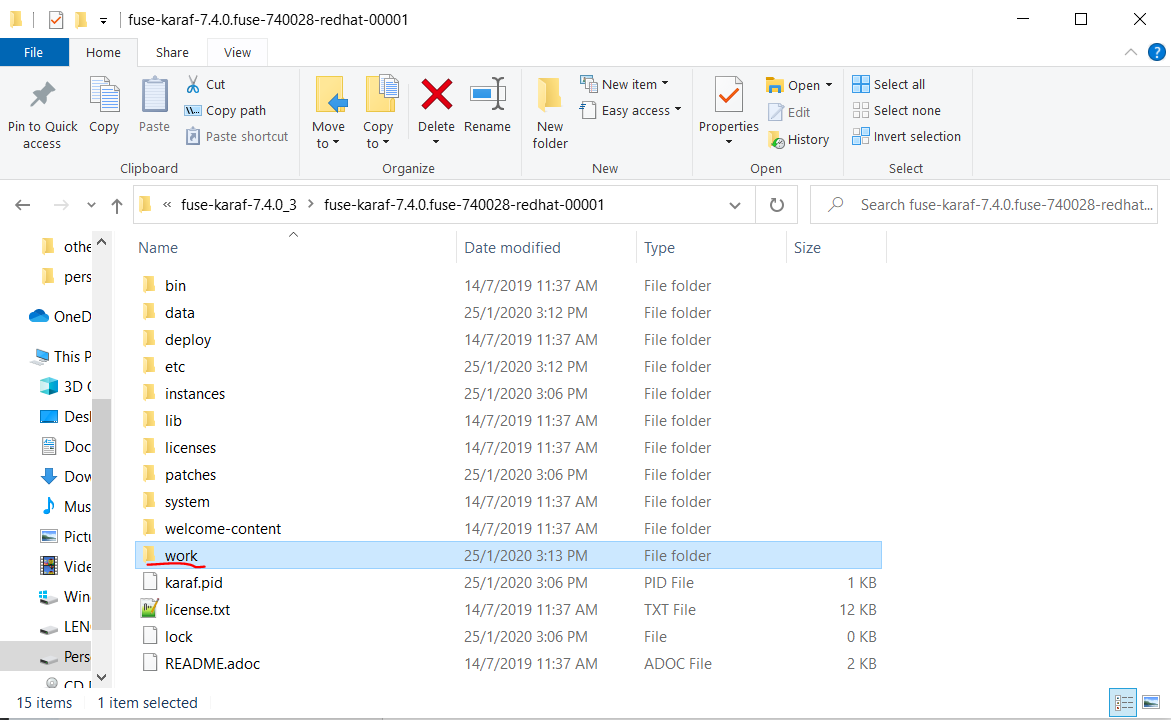
First go to your  fuse installation directory on your PC and then you could see following new folder created on there.

Newly created work folder inside the FUSE installation directory.

Then go to "\work\cbr\input
" directory and put sample person.xml file. Then put second person1.xml file on to the same directory. Based on our application logic data in two files should be saved in to the database and two files should move to "\work\cbr\output\others" directory. If you go to that spesific "\work\cbr\output\others" directory you could see those two files. Then go to your configured database and retrieve the data from person table. You could see data has been saved in to the database successfully.


Database table containing two records


You can download the entire source code from following GIT hub URL.